Claude Code From My Phone: Tailscale, Termius, and the Whole Machine in My Pocket
Claude Code's /remote-control mirrors one session to your phone. SSH over Tailscale hands you the whole workstation: resume sessions, start new ones in any repo, tail logs, restart containers — with nothing exposed to the internet.

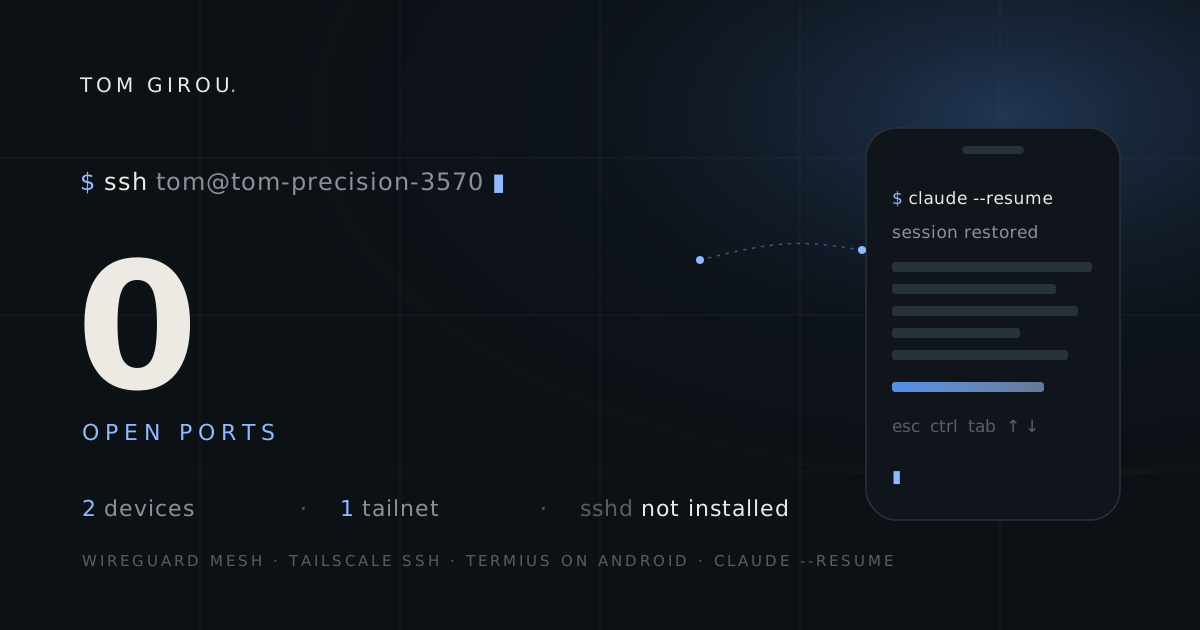
Claude Code changed the shape of my working sessions. I used to sit through tasks; now I kick them off. A refactor, a batch of translations, a migration script — I describe the job, the agent starts grinding, and the honest thing to admit is that my presence at the keyboard stops mattering for minutes at a time. Which is exactly when I stand up. And then I’m in the kitchen wondering if it stopped to ask me a permission question four minutes ago.
Anthropic’s answer to this is /remote-control, and it’s good. But it kept bumping into the same wall for me, and the fix turned out to be two apps, one flag and a tmux session — no cloud service, no exposed port, nothing clever. My whole workstation now fits in my pocket, and this post is the how-to I wish I’d read before piecing it together.
What /remote-control gives you, and where it stops
What does /remote-control actually get you? Quick credit first, because the built-in feature is genuinely useful. You type /remote-control (or /rc) in a running Claude Code session, scan a QR code, and that session mirrors to the Claude app on your phone. The machine at home keeps doing the work — nothing moves to the cloud — and you steer the conversation from wherever you are. You even get push notifications when the agent finishes or needs an answer. For the “did it stop to ask me something” problem, it’s the right tool and I still use it.
But it mirrors a session. One conversation, in one repo, that you started before leaving your desk. From the phone you can’t cd into a different project. You can’t check why a Docker container is eating CPU. You can’t start a second Claude session on another codebase because an idea hit you on the train. The feature answers “let me steer what’s already running” and nothing else — which is fair, that’s its job. My problem was that once I could reach my machine from the couch, I kept wanting the rest of the machine.
The setup is two apps and one flag
What do you need to set this up? The pieces: Tailscale on the workstation and the phone, and Termius as the SSH client on Android. Tailscale builds a private WireGuard mesh between your devices — your laptop and your phone end up on a small virtual network (a “tailnet”) that follows them across Wi-Fi, 4G, whatever. No port forwarding, no dynamic DNS, no VPS relay to maintain.
The part that surprised me is how little server-side setup there is, because of a feature called Tailscale SSH. Here’s the state of my workstation, a Dell Precision 3570 running Linux:
$ which sshd
# nothing
$ ss -tlnp | grep :22
# nothing
There is no OpenSSH server installed. Nothing listens on port 22. And yet I SSH into this machine from my phone every day. Tailscale SSH means tailscaled itself answers SSH connections arriving over the tailnet interface — the daemon terminates the connection, checks who you are against your tailnet identity, and hands you a shell. From the LAN side, from the internet side, from any interface that isn’t the tailnet, there’s simply no SSH to talk to.
That also kills the key-management chore. Authentication is “this device is logged into the same tailnet as you” — no authorized_keys, no passwords, nothing to rotate when you get a new phone beyond logging it in.
Workstation side: one command
How do you set up the workstation? Install Tailscale (their script, or your distro’s package):
curl -fsSL https://tailscale.com/install.sh | shThen bring it up with SSH enabled:
sudo tailscale up --sshThat’s the whole server. tailscale status should now show your machine, and once the phone joins, both:
100.71.141.2   tom-precision-3570  tom@  linux    -
100.112.88.16  s23-ultra-de-tom    tom@  android  active
Who may SSH into what is decided by the tailnet’s ACL policy, in the admin console. The default is worth reading rather than trusting:
"ssh": [
  {
    "action": "check",
    "src":    ["autogroup:member"],
    "dst":    ["autogroup:self"],
    "users":  ["autogroup:nonroot", "root"]
  }
]
autogroup:self means devices can only SSH into machines owned by the same user — on a personal tailnet that’s you, but it matters the day you share the tailnet. And "action": "check" adds a step I decided to keep: periodically, a new SSH connection makes you re-authenticate in a browser before the shell opens. Mildly annoying on a phone. Also the difference between “someone stole my unlocked phone” and “someone stole my unlocked phone and got a root shell on my workstation.”
Phone side: Termius and four special keys
Why Termius on the phone? Install the Tailscale app on the phone, log into the same tailnet, done — the phone is now a peer on the mesh. Any SSH client works from there, but I landed on Termius for one specific reason: its extra-keys bar above the keyboard.
Claude Code is a terminal UI, and terminal UIs assume keys that touch keyboards forgot about. Esc interrupts the agent mid-turn. Shift+Tab cycles permission modes. Ctrl+C, arrows for history. Termius puts Esc, Ctrl, Tab and the arrows one tap away, which is the difference between actually steering Claude Code and just watching it scroll.
The host entry is unremarkable: address tom-precision-3570 (Tailscale’s MagicDNS resolves machine names, so no IP to remember), port 22, my username. Termius insists on an auth method, so give it any key — with Tailscale SSH the real authentication already happened at the network layer, and the check-mode browser prompt covers the rest. Turn on Termius’s biometric app lock while you’re in the settings. Your phone is now a key to your workstation; treat it like one.
tmux, so a dropped connection is a non-event
What happens when the connection drops? A mobile SSH connection will drop. The elevator, the train tunnel, Android deciding Termius has had enough background time. And a plain SSH shell dies with its connection — the remote process gets hung up, and if Claude was mid-task, the in-flight turn dies with it. claude --resume would get the conversation back, but not the work the agent was doing when the line cut.
tmux removes the problem instead of softening it. On the workstation, everything runs inside a multiplexer that doesn’t care whether anyone is watching:
tmux new -A -s phone-A means attach-or-create: the first connection makes the session, every later one re-enters it. Coverage drops in the tunnel, Termius reconnects thirty seconds later, tmux new -A -s phone again — and Claude is still there, three tool calls further along, never having noticed. It’s also the same session you can pick up from the desk tomorrow with tmux attach -t phone.
Two lines of ~/.tmux.conf make it comfortable on a touchscreen:
set -g mouse on
set -g history-limit 50000
Mouse mode makes tmux’s scrollback answer to touch — flick to scroll through what the agent did while you were offline — and Termius can run the tmux new line for you as a startup snippet, so attaching becomes a property of the connection rather than a habit to remember.
What a full shell unlocks
What does a full shell unlock that mirroring can’t? The ladder, roughly in the order I climb it on a given evening:
Resume the desk session. cd into the project and claude --resume picks the conversation I walked away from, exactly where it was. This alone replaces /remote-control for me most days.
Start new sessions anywhere. Idea on the train → cd ~/projects/whatever && claude, brand-new session in a different repo. Sessions started from the phone are regular sessions; tomorrow at the desk, --resume brings them up on the big screen.
One-shot questions without the TUI. claude -p "what does the failing test in payments actually assert?" prints an answer and exits. On a phone screen, sometimes that’s all you wanted.
The machine itself. docker compose logs -f on the containers serving this site, git pull on a repo, a build kicked off, disk space checked. Anything you’d do at the desk, minus the desk.
And the bonus I didn’t expect: the phone isn’t just an SSH client, it’s a peer on the network. Run npm run dev -- --host on the workstation and the dev server is reachable from the phone’s browser at http://tom-precision-3570:4321. No tunnel, no port forwarding. I’ve reviewed a layout change on the actual phone, told Claude to adjust it, and watched hot reload update the page in my hand.
The honest limits
Where does this setup fall short? Two, in the spirit of not writing a brochure.
The workstation has to be awake. It’s a laptop. Lid closed, it suspends, and a suspended machine is not a tailnet peer. Mine mostly lives docked with suspend disabled, but if yours sleeps, that’s a settings change to make before you leave the house, not after.
Typing on glass. Steering an agent from a phone is comfortable, because the agent does the typing. Actually editing over phone SSH is self-punishment. This setup shines precisely because Claude Code inverts the ratio — you send short instructions, the machine sends back walls of work.
Security, in one paragraph
How exposed is any of this? Nothing about this setup is reachable from the internet. There’s no open port, no public endpoint, not even an SSH daemon — the attack surface is “be a device on my tailnet,” which is exactly the list I control from the admin console and can prune in one click. The realistic risk moved to the phone itself, which is why the check-mode re-auth and Termius’s app lock stay on despite the friction. Compare that to the classic answer — port 22 exposed, fail2ban, and hope — and this is not just more convenient. It’s less exposed than what it replaced.
Takeaways
What should you remember?
/remote-controland SSH aren’t competing — they’re rungs. Mirror a session when that’s all you need; keep the full shell for when it isn’t. I use both in the same evening.- Tailscale SSH means there is no server to harden. No sshd, no open port, no keys. The SSH server is the mesh daemon, and only the mesh can see it.
- A phone on your tailnet is a full network peer, not just a terminal. Dev servers, dashboards, anything bound to
--hostis one URL away in the phone browser. - tmux makes the mobile link boring.
tmux new -A -s phoneat the start of every connection, and a coverage drop changes nothing — the agent keeps working, you reattach.
The whole thing took under half an hour, most of it fiddling with Termius font sizes. And the shift is the same one Claude Code already made at the desk, extended outward: the machine works, you direct. It turns out directing fits on a phone screen just fine.