Letting Non-Technical PMs Query the Codebase in Plain Language
Why I built a read-only AI analyst that lets project managers ask questions about a codebase and have a Jira ticket filed for them automatically — and why the whole thing only works because the AI can read but never write.

There’s a particular interruption that every developer at a web agency knows. A project manager appears at your desk holding a client email. “The customer says checkout is broken on their store. Is that a real bug? Where is it? How big a job is it?” And you stop what you’re doing, swap your whole mental context for theirs, go spelunking in a codebase you maybe haven’t touched in three months, and come back twenty minutes later with an answer.
The answer was useful. The twenty minutes were expensive, and they were expensive for everyone: the PM waited, you lost your thread, and the next time it happened the cycle started over.
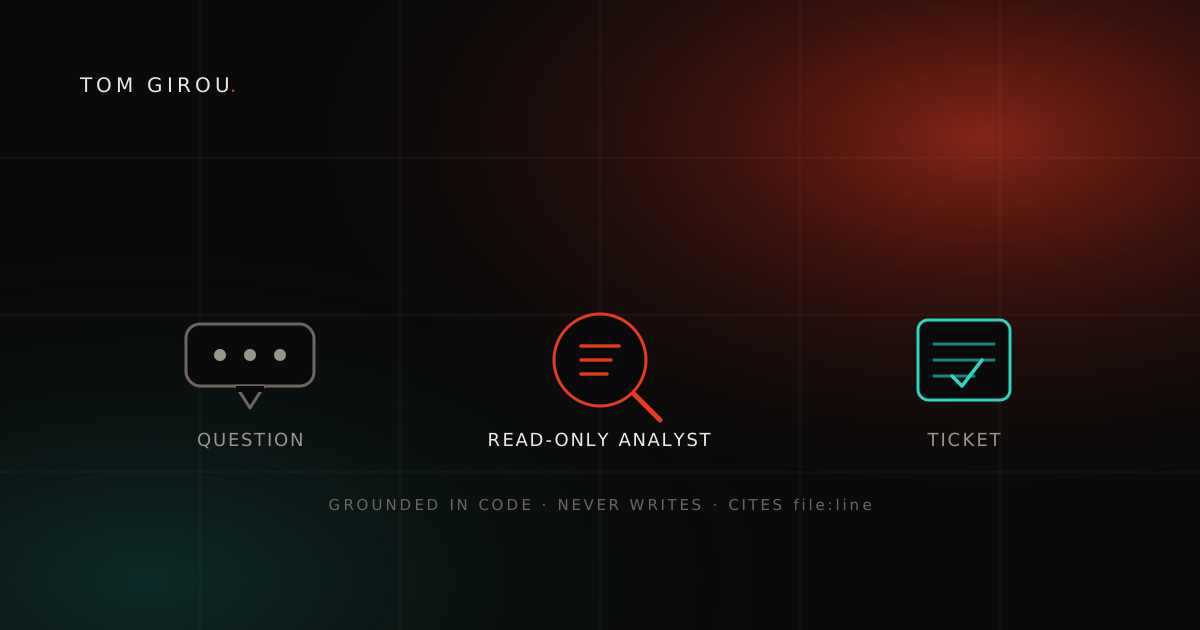
This is the story of an internal tool I built to remove that interruption — a portal where a non-technical project manager can ask a question about a client’s PrestaShop codebase in plain language, get an answer grounded in the actual code, and turn it into a well-formed Jira ticket without ever bothering a developer. The interesting part isn’t the chat box. It’s the single constraint the entire design is built around: the AI can read everything and write nothing.
The problem: developers are the only bridge to the code
Why is the codebase locked behind developers? At an agency that builds custom modules, the codebase is the source of truth for an enormous number of everyday questions. Is this behaviour a bug or a config choice? Which files would a fix touch? Is the thing the client is describing even possible given how the code is structured? Has it always worked this way? Every one of those answers already sits in the repository — but reading code fluently is a developer skill, and the project managers who field the client emails and write the tickets usually can’t. So the codebase sits behind glass, and the only way through it is to grab a developer. That’s the real bottleneck: not a missing tool, but a missing translator between the people holding the client’s questions and the code that answers them.
And the bottleneck costs more than the interruption itself. Tickets get written from a vague verbal summary instead of from the code, so they arrive thin: no file paths, no real sense of scope. Then the developer who picks the ticket up weeks later starts the investigation from scratch — the same investigation a colleague already did standing at someone’s desk, lost because nobody wrote it down.
What I actually wanted
What did I actually want it to do? The goal was deliberately narrow: let a PM ask a question in their own words and get back two things. The first is a plain-language answer grounded in the real code — not a confident guess, and not a generic “here’s how PrestaShop usually works”, but an answer that points at real files and real lines in this client’s repository, and that says so when the code doesn’t actually support a conclusion. The second is that same answer filed as a real Jira ticket, created directly in the project’s Jira rather than copy-pasted by hand: observed behaviour, suspected cause, the files involved, what would need to change. The PM approves it, the tool does the filing, and the investigation survives as a proper ticket instead of evaporating the moment the conversation ends.
Get those two things reliably and the developer interruption mostly disappears, while the tickets that reach the dev team arrive with a head start instead of from zero.
The core idea: a read-only analyst, not an assistant
Why give the AI no power to write? The temptation with anything agentic is to make it powerful — let it open pull requests, run commands, fix things. I went hard the opposite way, and that decision is the foundation everything else rests on. The tool can read the codebase and nothing else: it opens files, searches across them, and looks things up, and that is the entire list of verbs it has. It cannot edit a file, run a shell command, or change anything anywhere. Its toolset is an explicit, short allowlist, and everything outside that list is denied at the boundary rather than discouraged in a prompt — which is a very different guarantee from asking a model nicely not to touch things.
That powerlessness is the whole point. I can hand this tool to a non-technical colleague and not lose sleep, because the worst thing it can do is be wrong — and a wrong answer gets caught the moment a developer reads the ticket. There’s no route from “the AI misunderstood something” to “the repository is in a bad state”, since the repository was never writable to begin with. Power would have meant a long list of failure modes to defend against. Powerlessness meant I could ship it.
Regular readers will recognise the instinct. In an earlier post about adding AI review to a self-hosted GitLab, the load-bearing rule was never let a model read untrusted input and hold a privileged credential at the same time. Here it’s the same principle pointed the other way: give the AI the least power that still lets it do its job, and most of the frightening scenarios stop being possible instead of just being mitigated.
How it works, without the plumbing
How does it earn a PM’s trust? A few design choices turn “an AI that can read code” into something a PM can actually rely on, and every one of them is about trust rather than raw capability. First, it works on a fresh, faithful copy of the code: each conversation analyses an isolated checkout of the client’s repository, kept current in the background so the answer reflects what’s actually in the project rather than a snapshot from whenever someone last looked, and separate conversations never step on each other. When the tool says “line 240 does X”, it means the real, current code. Grounding is the entire value proposition, so the copy it reads from has to be trustworthy. On top of that it’s forced to cite and forbidden to speculate — it grounds every claim in files it actually read, quotes only a few lines rather than dumping code at someone who can’t read it, and, the hard part, says “the code doesn’t support that conclusion” instead of inventing a plausible one. For external facts like a PrestaShop version, a library’s behaviour, or a CVE, it looks them up rather than trusting its own memory.
The other half of the design is about where the answer goes. It’s written for the reader, not the engineer: the audience is a non-technical PM, so the output isn’t a code walkthrough but the business impact in plain language, with the technical detail available and out of the way. “This affects every customer using a discount code at checkout” lands; “there’s an off-by-one in the cart-rule loop” does not. Because that answer is already shaped like a ticket — observed behaviour, suspected cause, files involved, proposed change — the PM just approves it and the tool creates the issue directly in Jira through Atlassian’s Rovo (MCP) integration, fields already filled in, no re-typing into a form. And everything is logged: every question, every file the AI opened, every ticket it drafted. Partly that’s good hygiene for anything touching client code; partly it’s so I can see how the tool is used and where its answers go wrong.
The part that was harder than I expected
What was harder than the plumbing? The plumbing — reading code, keeping copies fresh, talking to Jira — was the easy half. The hard half was teaching the analyst to not know things. A capable model’s default failure mode isn’t going blank; it’s answering confidently anyway. Ask it where a bug is and it will happily reason its way to a plausible-sounding location whether or not the code actually says so. For a tool whose entire purpose is grounding, that’s the one behaviour that would poison it: a PM can’t tell a real, code-backed answer from a confident hallucination — that’s exactly why they’re using the tool — so an answer that sounds grounded but isn’t is worse than no answer at all.
Most of the iteration went into pulling the analyst back toward “I checked, and the code doesn’t show that” and away from “here’s a tidy theory.” Getting that calibration right mattered far more than any of the engineering around it. A tool like this earns trust slowly and loses it all at once: the first time a PM acts on a confident answer that turns out to be invented, they stop believing the next ten that were correct.
What it changed
Did it actually change anything? The interruptions dropped. A PM who would have walked over to a developer now asks the portal first, and most of the time that’s the end of it. When it isn’t — when the question is genuinely subtle, or the answer needs a human judgment call — the developer who gets pulled in starts from a real answer with real file references, not a cold “can you look at this.” And the tickets got better along the way: they arrive shaped by the actual code, with a suspected cause, the files in play, and a sense of scope. The investigation that used to happen verbally and then disappear now gets written down once and carried into the work.
It’s still deliberately small — an internal, localhost-only tool, scoped so that the worst case stays small while it earns its trust. That constraint is a feature too. I’d rather ship something narrow that people rely on than something sprawling they’re afraid to.
Takeaways
What should you take away?
- The most useful AI tool is often the least powerful one. Read-only is what made this safe to hand to non-developers. Strip the verbs down to the job and most failure modes disappear by construction.
- Grounding is the product. For an analyst aimed at people who can’t check its work, “cite the file or say you don’t know” is the entire value, not a nicety. Calibrating that was harder than all the engineering.
- Don’t replace the developer; remove the interruption. The point was never to automate judgment. It was to answer the easy questions directly and hand the genuinely hard ones to a developer who now starts warm instead of cold.
- Build for the reader who can’t read code. Translate to business impact, structure the output for where it’s going to live, and the tool stops being a toy for engineers and starts being something the whole team uses.
People assume the clever part is the model reading a codebase and explaining it to someone who can’t. Maybe. The part I actually care about is duller than that: it reads, and it never writes. That’s the whole safety story, and it’s why I sleep fine with it running on client code.